Data migration and integration
Migrate and stay in sync — without throwaway scripts.
From legacy to your new ERP or data lake, behind the firewall, safely: dry-run, reconciliation and change data capture.
- 13 connectors
- 6 lake formats in 7 locations
- 4 databases with CDC
- 210+ inventoried features
- 10k+ automated tests
- weekly a new release every week
What we solve
Five problems that cost a lot, and how they stop costing
- System replacement without risk Data migration is the most underestimated item of an ERP replacement. Simulate first, track every rejected row and resume where it stopped. Learn more
- Continuous integration without Kafka or GoldenGate After cutover the systems coexist, and CDC usually means per-processor licenses or a cluster. Change data capture from Postgres, Oracle and MySQL, included in the plan. Learn more
- Legacy into the data lake, without paying per row The ERP sits behind the firewall, the lake in the cloud, and tools charge by volume. Parquet, Delta and Iceberg, from legacy to the lake and back, with no per-row cost. Learn more
- Data that stays in-house Banking, government and healthcare: a third-party cloud is forbidden or must be reported to the regulator. The whole platform in your network, working offline. Learn more
- Operations at scale for those who integrate all the time N migrations a year, for N customers, each one from scratch. Per-client workspaces, reusable projects and a fleet of agents. Learn more
How it works
Three steps, from the first command to continuous integration
- 01
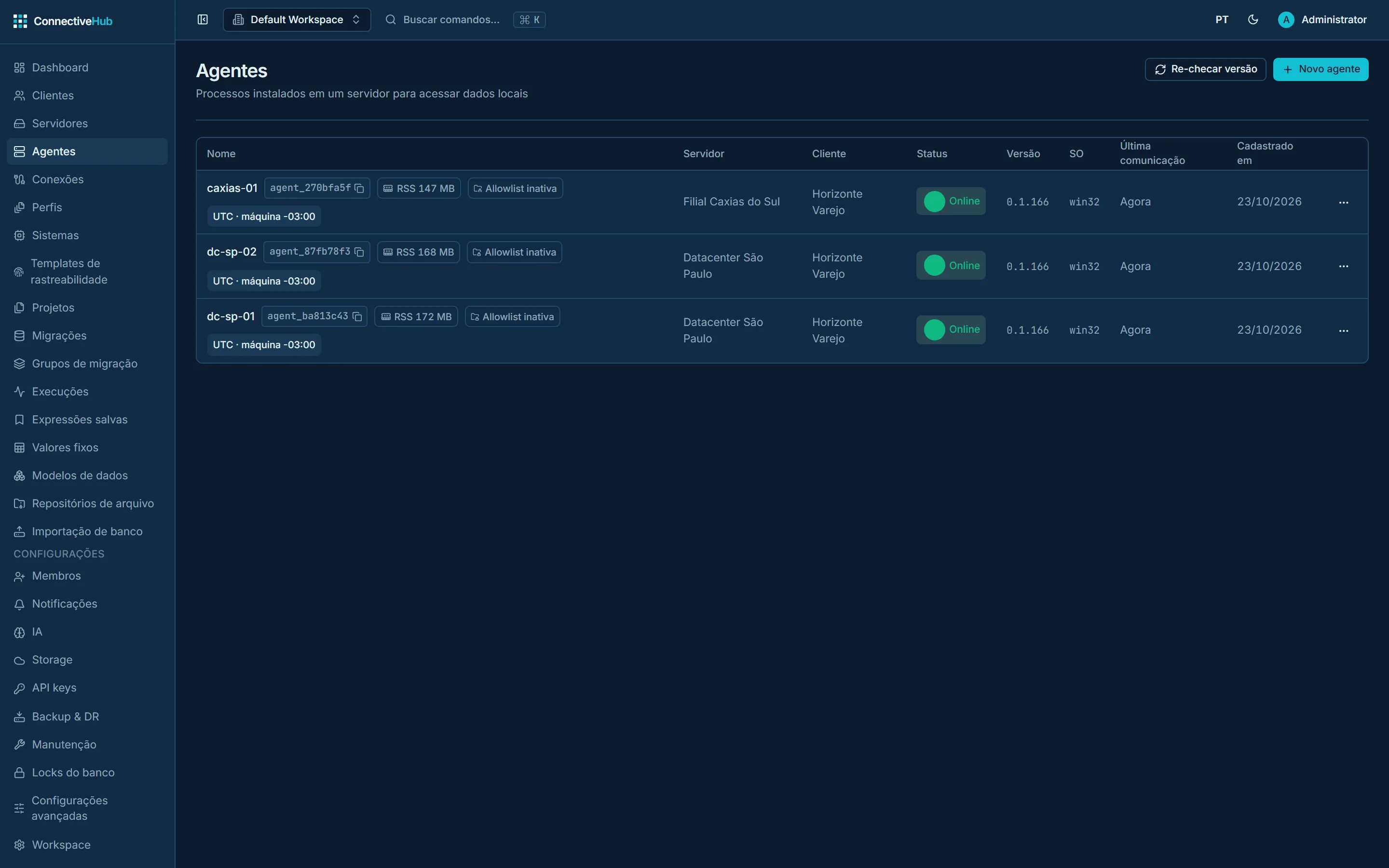
Install the agent
One command on a server in the customer network, Windows or Linux. The agent only dials out: no VPN and no open inbound port.
- 02
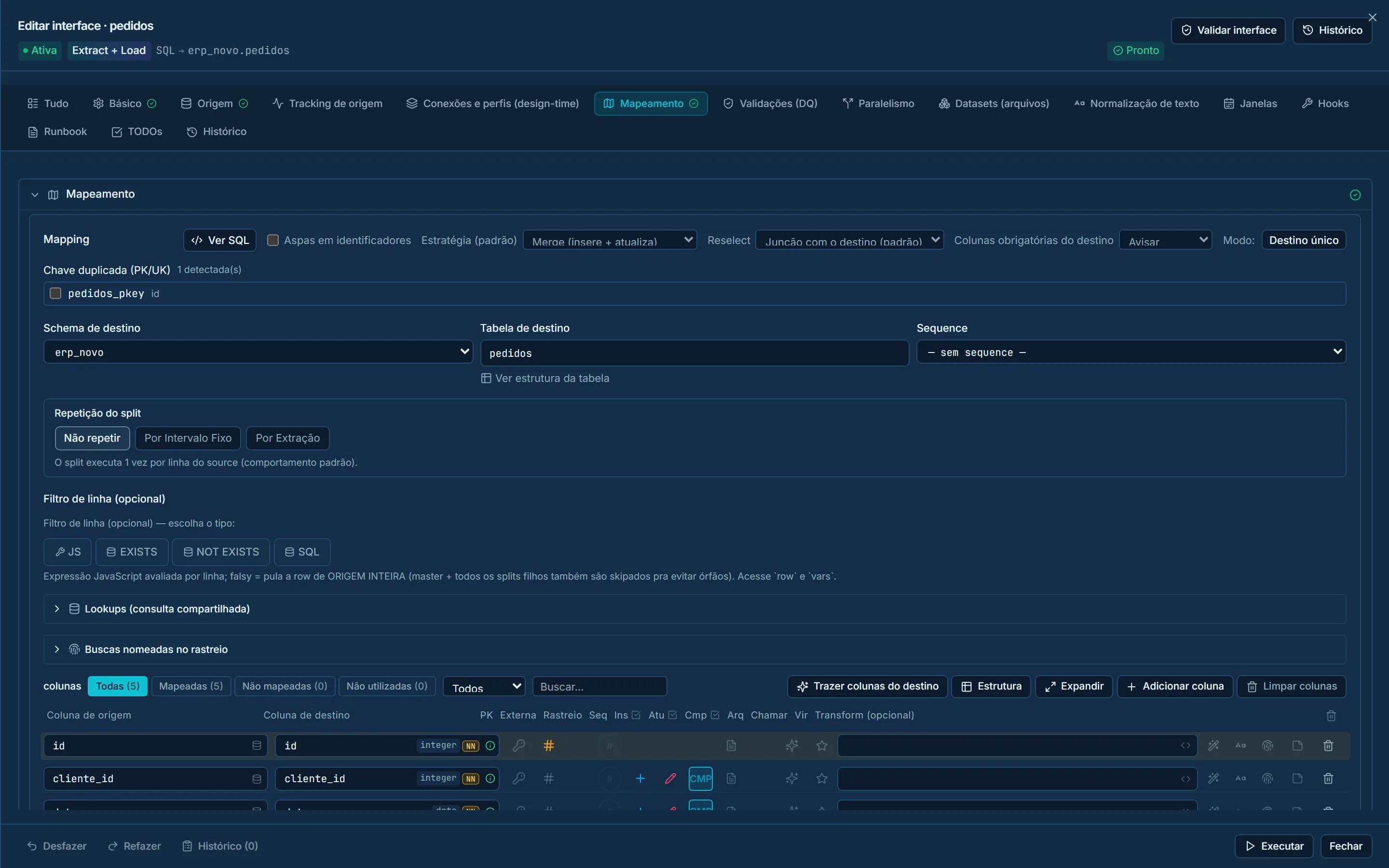
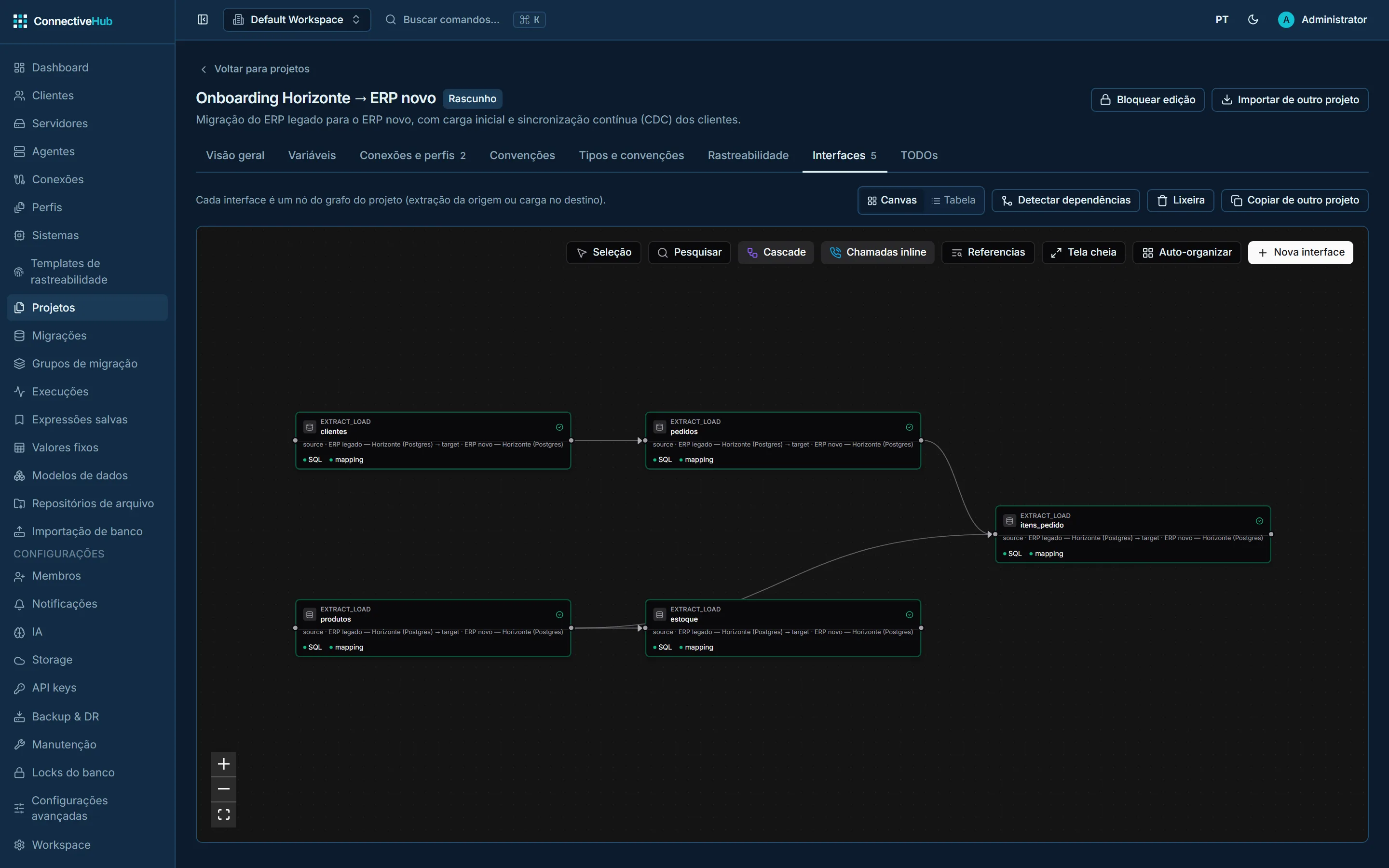
Design and simulate
The project on a canvas, visual column-by-column mapping, and the dry-run, which runs everything without writing to the destination.
- 03
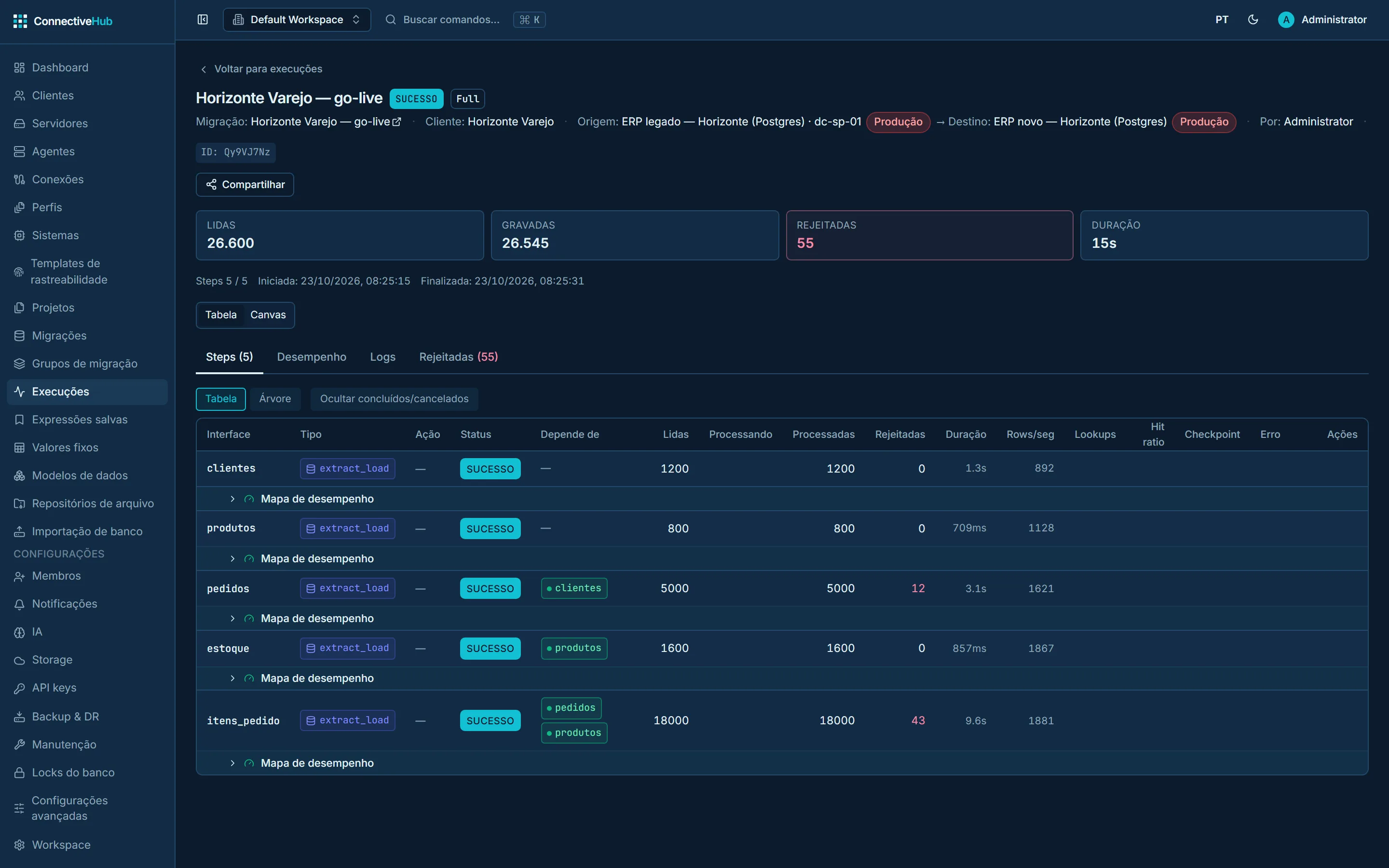
Run and stay in sync
The run with its counters and reconciliation; rejected rows with the row and the reason; then change data capture keeps the destination current.
Connectors and formats
Legacy databases, files, APIs and the data lake
Every connector reads and writes. Change data capture, where the database offers it, works as a source.
- PostgreSQLSource · Destination · CDC
- OracleSource · Destination · CDC
- MySQLSource · Destination · CDC
- SQL ServerSource · Destination · CDC
- FirebirdSource · Destination
- MS AccessSource · Destination
- SQLiteSource · Destination
- CSVSource · Destination
- JSONSource · Destination
- XMLSource · Destination
- ExcelSource · Destination
- REST APISource · Destination
- Data lakeSource · Destination
Formats
- Parquet
- CSV
- JSON
- Avro
- Delta Lake
- Apache Iceberg
Locations and catalogs
- S3
- Local folder (on-premise)
- Unity Catalog
- AWS Glue
- Iceberg REST catalog
- Azure Blob and ADLS Gen2
- Google Cloud Storage
Security
Designed for those who do not open the firewall
-
Outbound only, no open port
The agent dials out over a secure channel (WSS). No inbound port, no VPN.
-
Only the allowed folders
Local files and folders are only read inside the list IT allows.
-
Signed updates
The on-premise update package is signed and verified before it installs.
-
License checked offline
On-premise, the license is verified inside the installation, calling no one.
-
Support only with permission
Our support only gets in when the customer opens the session, and leaves when they close it.
-
No row goes missing
Read = written + rejected + skipped. The balance closes, or the step fails.
Who it is for
For those who migrate and integrate data as part of the business
- Software vendors Who bring every new customer from the old system into their ERP.
- Integrators Who run dozens of migrations a year, for different customers.
- Data teams Who need the legacy behind the firewall inside the data lake.
- Regulated industries Banking, government and healthcare, where data cannot leave the premises.