Data lake
From legacy behind the firewall into your data lake
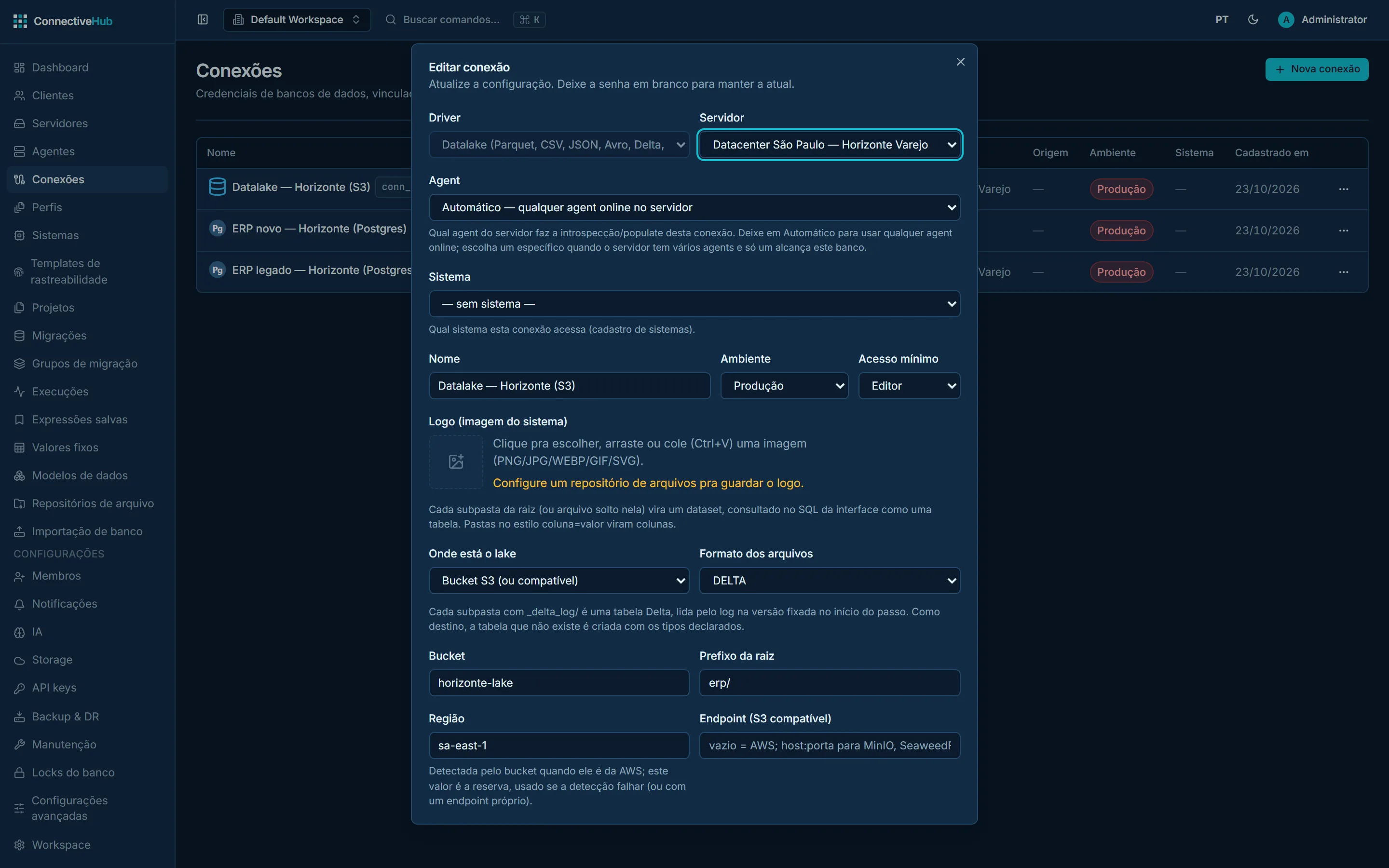
Parquet, CSV, JSON, Avro, Delta and Iceberg, on S3, Azure, GCS or a local folder, with Unity Catalog, AWS Glue and the Iceberg REST catalog — both ways, never charging per row.
The problem
“The ERP is behind the firewall and the lake is in the cloud. Tools charge by volume, in dollars, and only offer an on-prem agent on the expensive plans.”
- Volume pricing exactly at the initial load, the biggest peak.
- An on-prem agent only on the most expensive plans.
- The legacy database cannot be reached from the cloud.
How we solve it
-
Through the agent, from inside the network
The agent reads the legacy database and writes to the lake from the customer network. The lake engine runs in its own process, only with sha256-checked extensions.
-
Real Delta and Iceberg
Delta and Iceberg tables read at a pinned version and appended with a transaction, with Unity Catalog, AWS Glue and the Iceberg REST catalog.
-
Both ways
The lake as destination, append-only and with declared types; or as source, to bring data back into a system.
-
The checkpoint only moves with the destination
A run only moves its checkpoint up to what the lake confirmed: a failed write leaves no gap.
-
Clouds and local folders
S3, Azure Blob and ADLS Gen2, Google Cloud Storage; on-premise, a folder inside the list IT allows.
See it working
In numbers
- 6 formats: Parquet, CSV, JSON, Avro, Delta and Iceberg
- 7 locations and catalogs, from a local folder to Unity Catalog
Want to see this in your scenario?
In a demo we walk through the flow with a case like yours, from the agent to reconciliation.