Migration
Replace the system without losing a row
Dry-run before writing, rejected rows tracked with the row and the reason, checkpoint resume and a reconciliation that balances — from Firebird, Oracle 11g or SQL Server into the new ERP.
The problem
“We are replacing the ERP. Data migration is the most underestimated item of the project: throwaway scripts, no audit, and when it fails midway data is lost or everything is redone.”
- Scripts written to run once, with no repeatability.
- No audit of what went in and what was left out.
- A failure midway — a malformed e-invoice, master-detail integrity, a dropped connection — and it starts over.
How we solve it
-
Simulate before writing
The dry-run runs extraction, mapping and rules without writing anything to the destination. Preflight checks connections, schema and mapping before it starts.
-
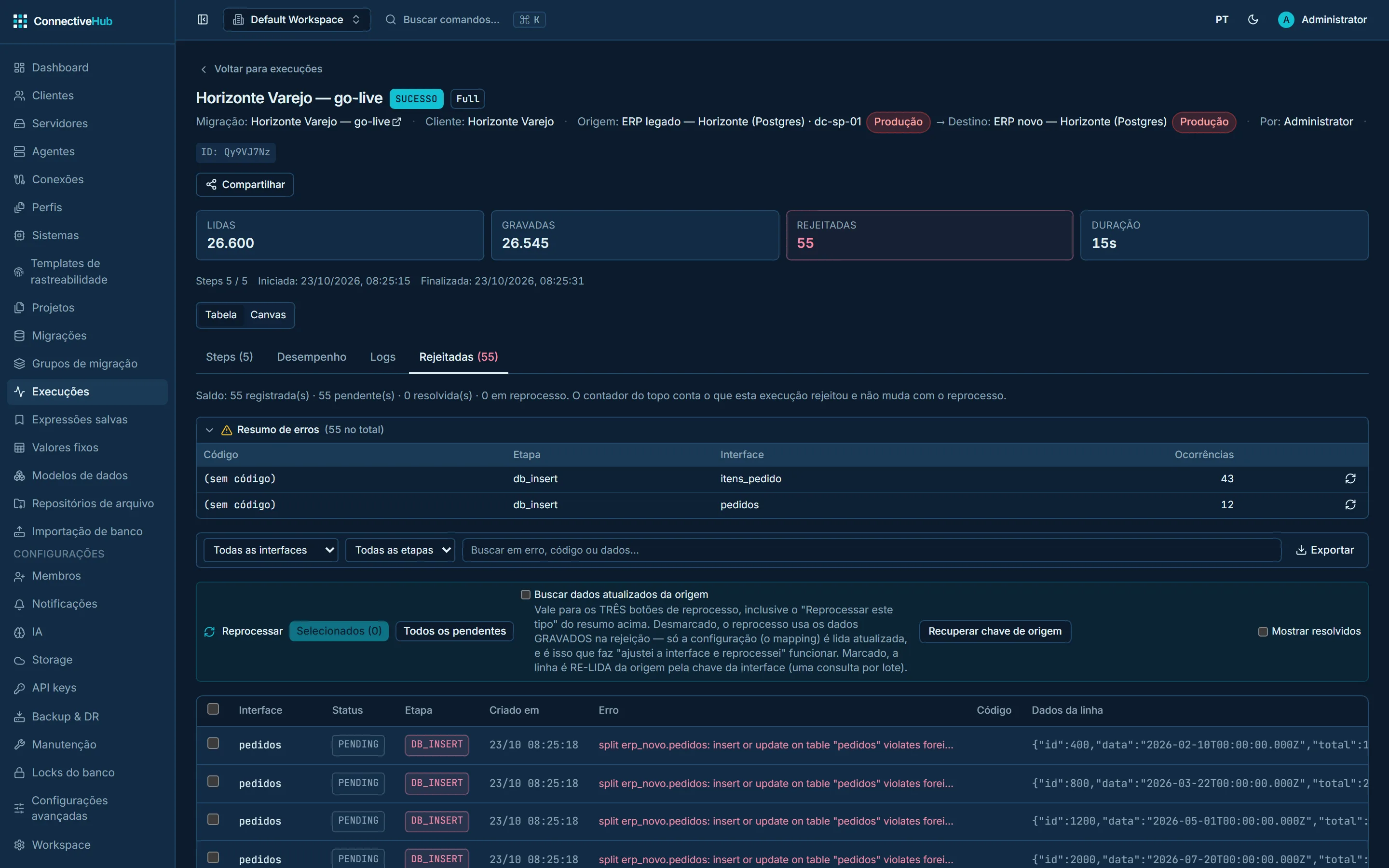
Every rejected row has the row and the reason
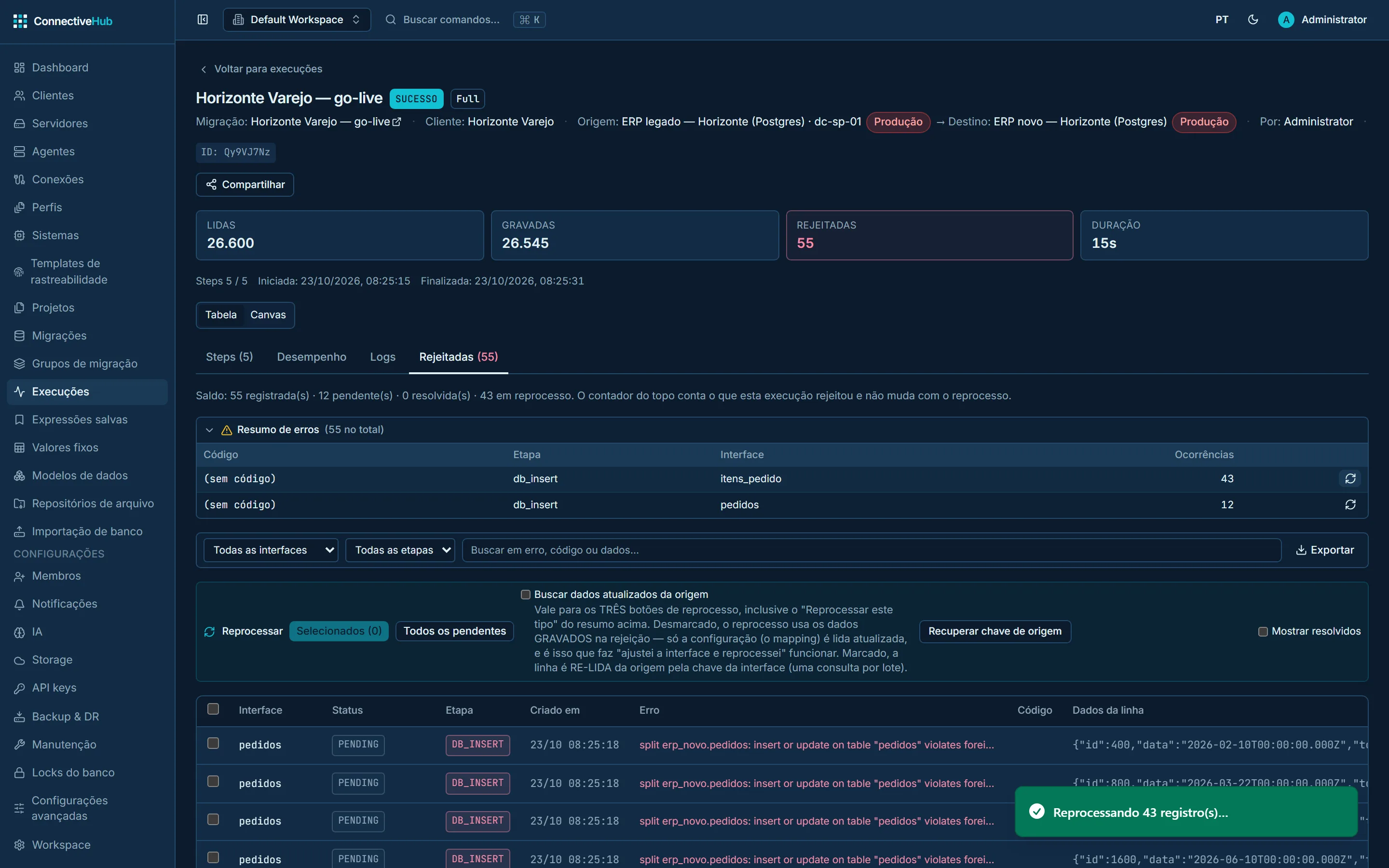
The source row is kept with the reason, the SQL and the values that failed. Fix them and reprocess just the rejects, in the mode built for that.
-
Resume where it stopped
The checkpoint keeps the last confirmed batch. Stopped, crashed or interrupted: the run resumes without duplicating or skipping.
-
The balance closes, or the step fails
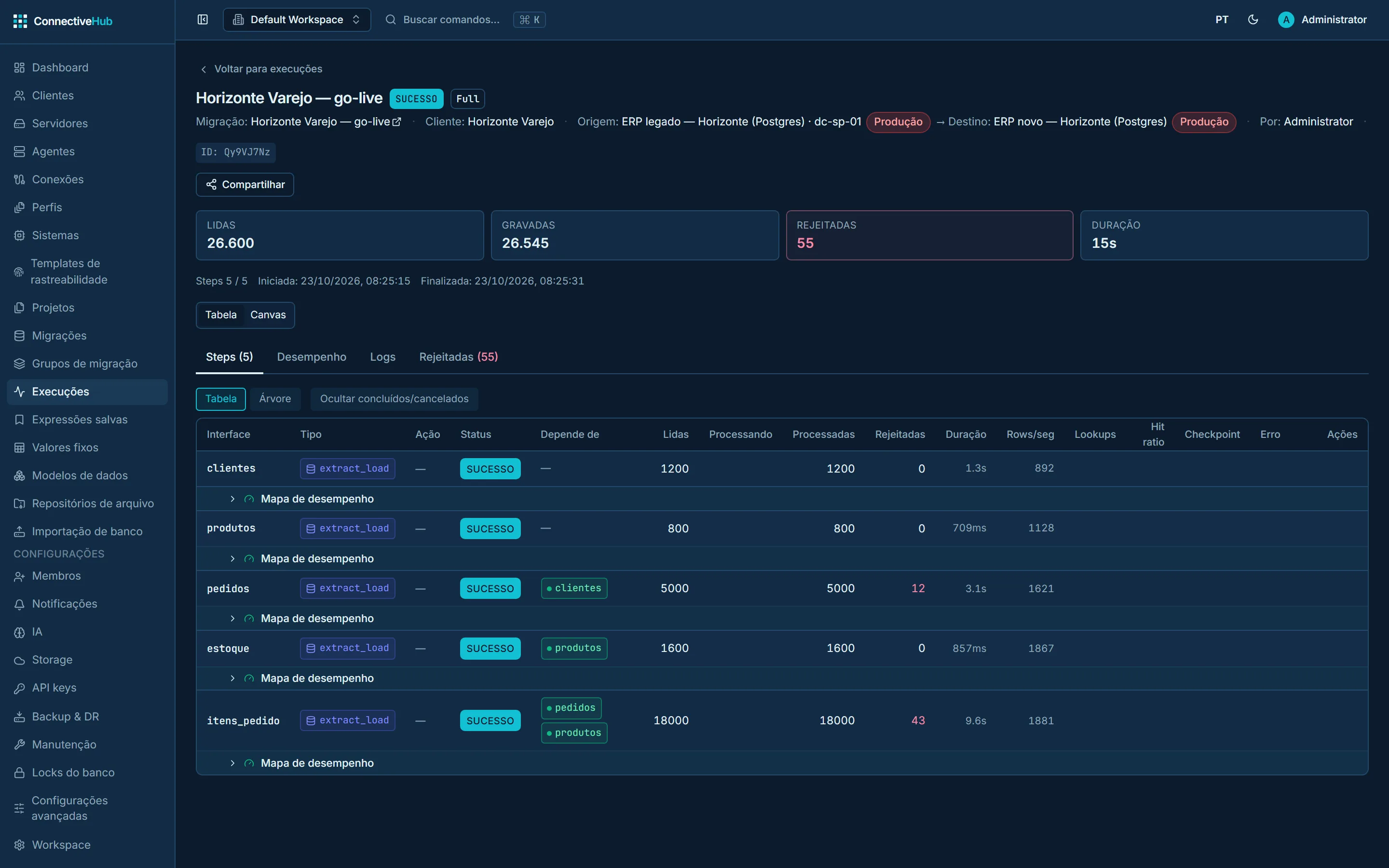
Read, written, rejected and skipped, per interface, under a single rule on every screen. The numbers must add up.
-
Master-detail with integrity
One source row becomes several destination tables, in waves following the dependencies, with parent-id lookup and a declared policy for orphans.
-
NF-e, XML and the real legacy
XML — including Brazilian e-invoices (NF-e) —, Excel, CSV and JSON; Firebird, MS Access, SQL Server and Oracle, 11g included, through the agent inside the network.
See it working
In numbers
- 4 run modes: dry-run, full, resume and rejects only
- 13 connectors, as source and destination
- 0 rows that go missing: read = written + rejected + skipped
Want to see this in your scenario?
In a demo we walk through the flow with a case like yours, from the agent to reconciliation.